

Mac Download & Install FAQ | Multi-platform Coverage | Real-time Bilingual Translation
Method 1: Fix "Mac can't protect your computer"
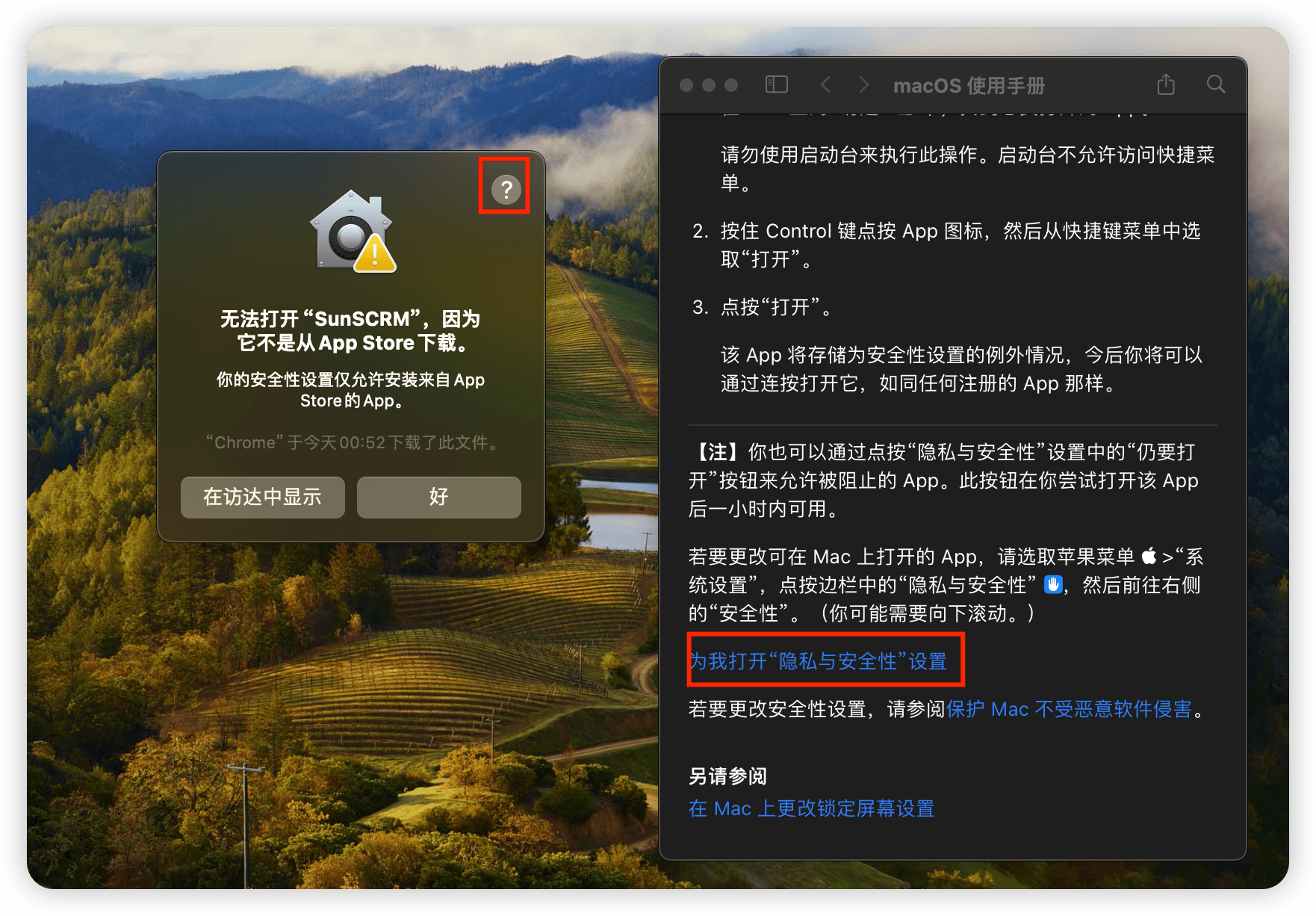
1. Click the top-right "?" icon, then open Privacy & Security inside the macOS guide.
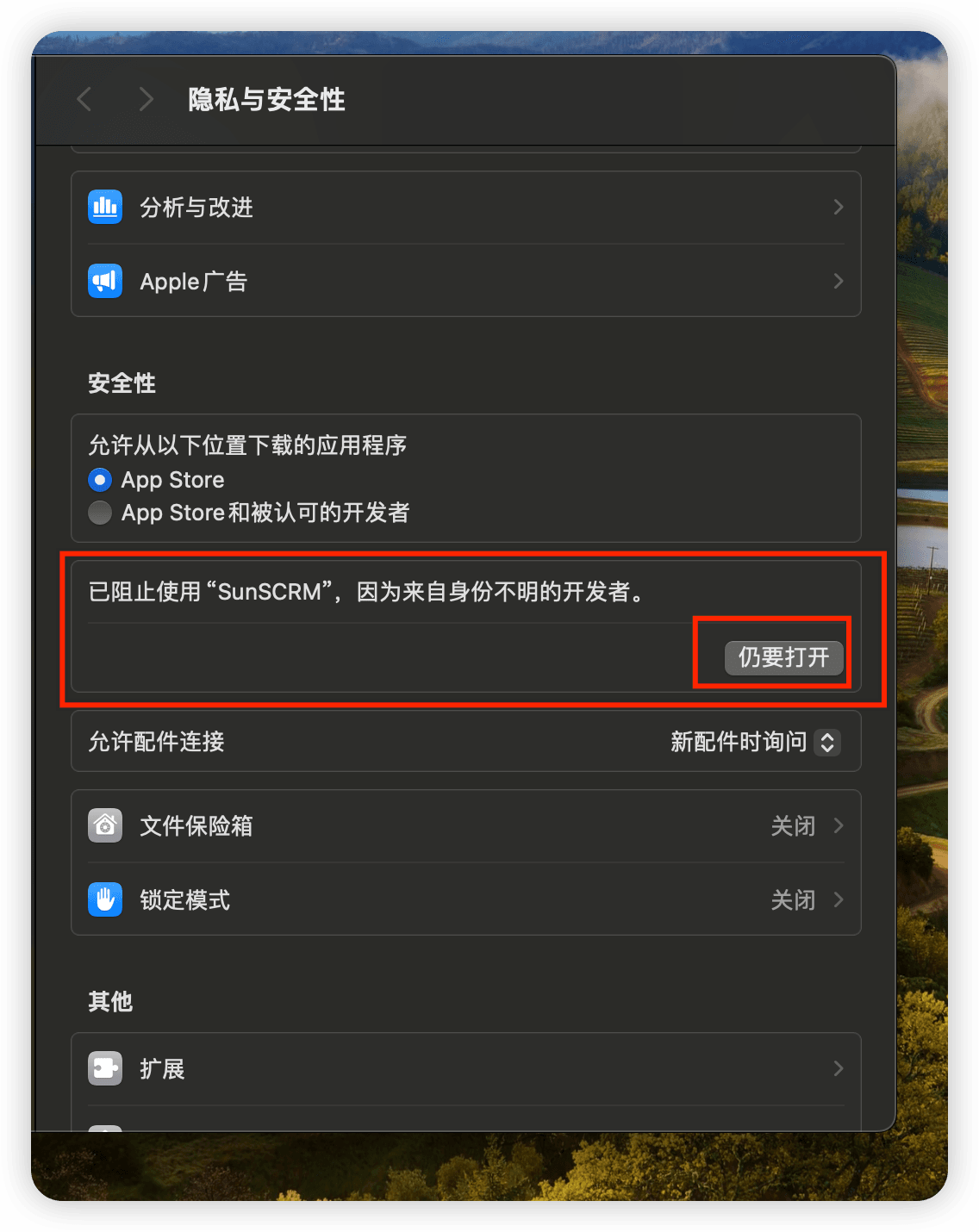
2. Scroll to the message saying SunSCRM was blocked because it is from an unidentified developer, then click "Open Anyway".
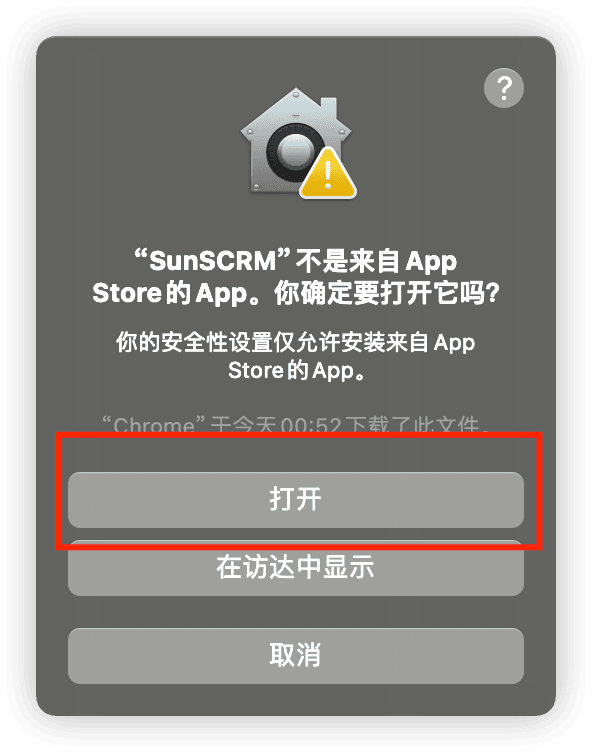
3. After clicking "Open Anyway", you can open SunSCRM.